I want to start with a number that stopped me mid-scroll when I first saw it.
30+.
That’s how many AI models Kittl now has accessible directly inside its editor. Not linked to. Not integrated via API with three extra steps. Inside the canvas. Same AI tokens from your existing plan.
I’ve been testing design tools seriously for several weeks now and I almost dismissed Kittl as just another Canva alternative. After spending time with it properly — specifically the AI model library — I understand why 10 million people use it and why that number keeps growing.
Here’s the honest review.
What is Kittl?
Kittl is a browser-based design platform originally built around typography-heavy graphics, vector illustrations and print-ready designs. It launched as Heritage Type in 2020, rebranded to Kittl in 2022 and has since grown into something significantly more ambitious.
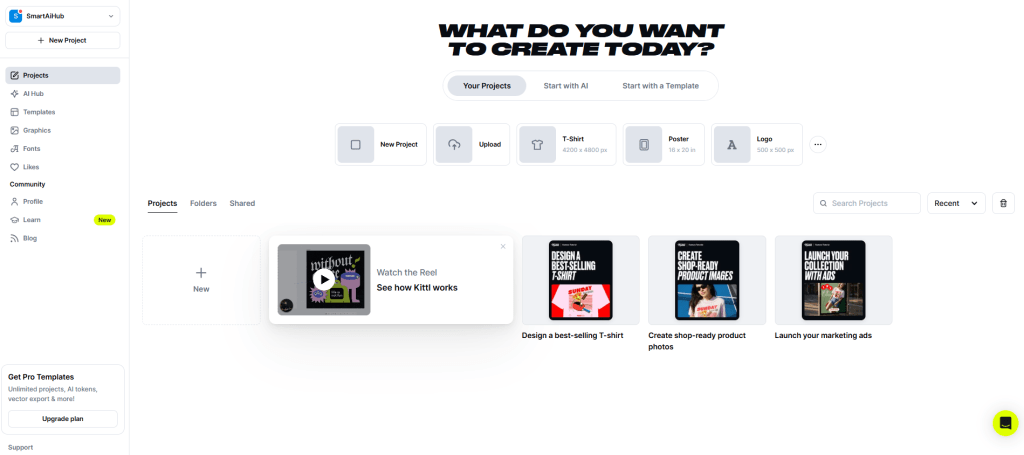
What started as the best tool for vintage text effects and print-on-demand designs has become a genuinely comprehensive creative platform. The typography roots are still there and they’re still best in class. But the AI capabilities that have been added on top are what make Kittl worth paying serious attention to in 2026.
The AI Model Library — This Is the Story
Most design tools give you one AI image generator and call it a feature. Kittl gives you over 20 image models and 12 video models — all inside a single dropdown inside the editor. No tab switching. No separate subscriptions. Same AI tokens from the plan you already have.
Let me break down what’s actually in there because the headlines matter.
Image Generation — 20+ Models
Nano Banana 2 and Nano Banana Pro — Google’s models that finally solved one of AI image generation’s most persistent problems: text rendering. These are the only models that render legible copy, accurate infographics and knowledge-grounded visuals properly. If you’re creating posters, product mockups, or anything that needs words to actually read correctly — this is the model you’ve been waiting for.
Seedream 4.5 — The face problem in AI images is real. Most models distort expressions, misalign eyes or produce that uncanny valley effect that immediately signals AI to any viewer. Seedream renders faces with photographic accuracy. For portraits, lifestyle content and any visual where a real-looking person is the subject — this is the go-to.
Recraft V4 Pro — Complex stylized imagery for branded output. Particularly useful for small business owners building a recognizable visual identity across multiple touchpoints.
Flux Schnell — The everyday workhorse. Fast generation and practically free to run in terms of token usage. For creators who need volume without burning through credits on every iteration, this is the default.
ChatGPT Image 1.5 HD — OpenAI’s latest image model for complex prompts and highly detailed imagery.
Google Imagen 4, Ideogram 3 Quality, DALL-E 3 and more round out the library.
The practical implication of this is significant. Different models excel at different things. Seedream for faces. Nano Banana for text-in-image. Recraft for branded graphics. Flux for quick iterations. Having all of them inside one canvas — without switching apps or juggling subscriptions — changes the actual workflow in a way that’s hard to overstate until you’ve experienced it.
Video Generation — 12 Models
This is where Kittl surprised me most. Most creators are currently paying for video generation tools separately. Kittl has them inside the same dropdown.
Seedance 2.0 (newly launched) — Purpose-built for product ads and branded content. Best for designs without faces.
Kling Video 3.0 Pro — High quality multi-shot control with native audio and strong consistency across shots.
Veo 3.1 by Google — High-fidelity video generation at industry standard quality, built directly into the canvas.
Runway Gen-4.5 — Advanced multimodal video generation. This is the tool most video creators are currently paying $15+ per month for separately. It’s inside Kittl on your existing plan.
PixVerse v5 — Smooth motion, realistic faces, natural detail.
None of these require a separate RunwayML subscription. No separate Kling account. Same AI tokens from your Kittl plan. Same canvas you’re already designing in.
The Core Design Features — Still Best in Class
Before I got distracted by the AI library the reason I started testing Kittl was its design fundamentals. They’re still excellent.
Typography Tools
This remains Kittl’s original superpower and it hasn’t been neglected. The text effects are significantly more advanced than Canva’s — applying transformations, shading and decoration effects simultaneously in ways that Canva simply doesn’t support. For vintage designs, logos and text-heavy graphics the output quality difference is visible and real.
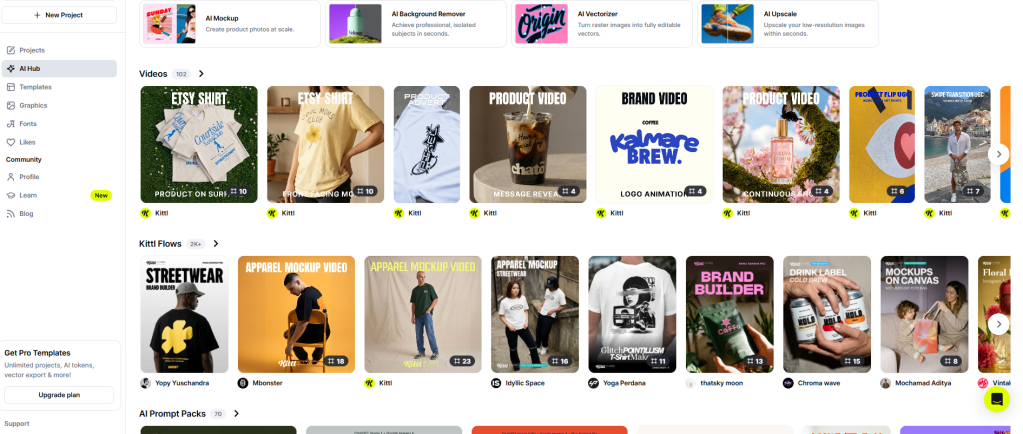
Kittl Flows — AI Design Pipelines
Kittl Flows let you build flexible creative pipelines by connecting AI-powered Smartboards into a dynamic sequence. Think of it as building a repeatable creative workflow rather than generating a single image and hoping for the best. For anyone creating high volumes of similar designs — merchandise stores, social content series, brand assets — this systematizes what would otherwise be manual repetition.
Print on Demand Presets
Built-in canvas presets for major POD platforms. Instead of manually setting up dimensions for each platform you select a preset and Kittl handles it. When you’re creating dozens of designs per week this saves real time.
Vector Exports
Clean SVG exports that scale perfectly. Canva’s vector support exists but isn’t as refined. For logos, merchandise and anything that needs to scale across different sizes and applications — proper vector export is not optional. Kittl handles it properly.
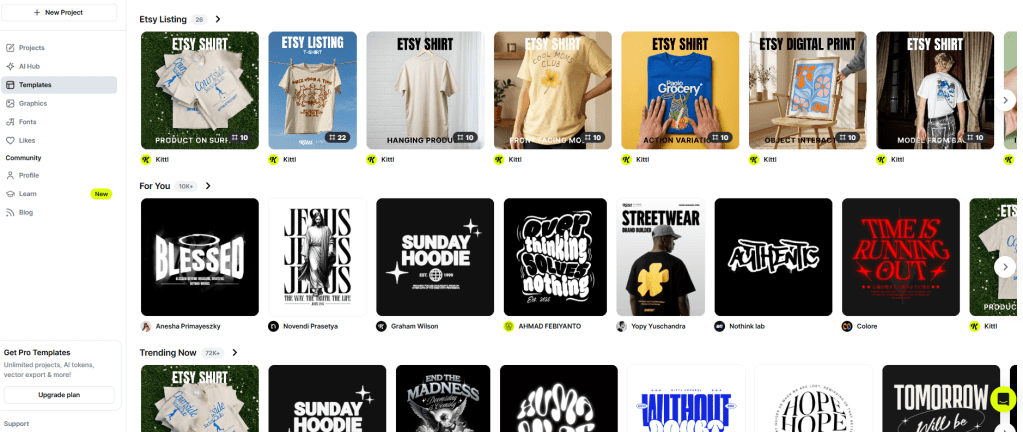
Template Library
Hundreds of thousands of professional templates created by independent designers. A portion of every subscription goes directly to those designers — a model worth acknowledging because it’s relatively rare in this category.
Pricing — The Subscription Math is Interesting
| Plan | Monthly | Annual | Best For |
|---|---|---|---|
| Free | $0 | $0 | Testing |
| Pro | $15/month | $10/month | Freelancers & creators |
| Expert | $30/month | $24/month | Power users |
| Enterprise | Custom | Custom | Teams & agencies |
The free plan is watermark-free — notable because Canva and Adobe Express both add watermarks on free exports. Kittl’s limitation is resolution and commercial licensing, not watermarks.
The Pro plan at $10/month on annual billing is where the value proposition becomes genuinely compelling. Consider what you’d otherwise pay:
- Midjourney for image generation: $10/month
- Runway for video generation: $15/month
- A separate design tool: $10-15/month
- Kittl Pro with all of the above included: $10/month
That’s the subscription math angle that converts people from free to paid quickly.
The AI Token System
AI features run on tokens. Pro includes 2,000 monthly tokens. Expert includes 6,000. Tokens don’t roll over — they reset each billing cycle. Heavy AI users on Pro may find 2,000 tokens limiting for video generation specifically, as video consumes more tokens per generation than images.
Who Gets the Most Value from Kittl?
After testing thoroughly the clearest use cases are:
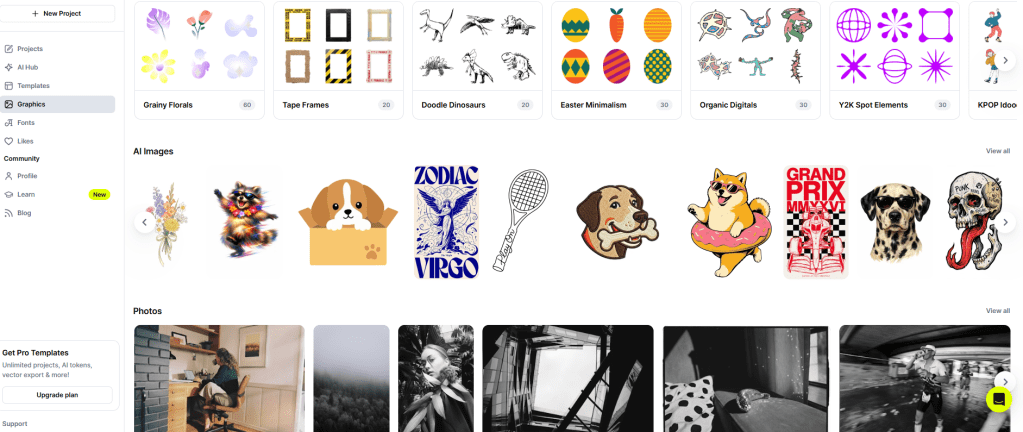
Print on demand sellers — The POD presets, merchandise templates and typography tools were built for this use case and it shows.
Small business owners building brand identity — Recraft V4 Pro for branded visuals, Seedream for lifestyle content featuring real-looking people, Nano Banana for product mockups with legible text. The whole visual identity workflow in one tool.
Content creators replacing multiple subscriptions — If you’re paying separately for a design tool, an image generator and a video tool — the math on Kittl Pro is straightforward.
Freelance designers — Clean vector exports, advanced typography and commercial licensing at $10/month makes the economics work for client work.
Honest Pros and Cons
What genuinely impressed me: ✅ 20+ image models and 12 video models in one canvas ✅ Runway Gen-4.5 and Kling included on existing plan ✅ Nano Banana solves the text-in-image problem ✅ Seedream renders human faces properly ✅ Typography tools still best in class at this price ✅ Watermark-free free plan ✅ No separate subscriptions needed for most AI tools ✅ 30 day free trial without credit card
What could be better: ❌ AI tokens don’t roll over — use them or lose them ❌ Video generation consumes tokens faster than images ❌ Steeper learning curve than Canva ❌ Can feel slow on complex projects ❌ In-platform tutorials need improvement ❌ 2,000 monthly tokens on Pro may not be enough for heavy video users
Kittl vs The Competition
| Feature | Kittl Pro | Canva Pro | Midjourney + Runway |
|---|---|---|---|
| Price | $10/month | $15/month | $25+/month |
| Typography | ⭐⭐⭐⭐⭐ | ⭐⭐⭐ | N/A |
| Image models | 20+ included | 1 | Separate subscription |
| Video models | 12 included | Limited | Separate subscription |
| Vector exports | ⭐⭐⭐⭐⭐ | ⭐⭐⭐ | N/A |
| POD features | ⭐⭐⭐⭐⭐ | ⭐⭐ | N/A |
| All-in-one | ✅ | Partial | ❌ |
Final Verdict
The headline feature — 30+ AI models inside one canvas on one plan — is real and it changes the value calculation significantly.
If you’re currently paying for Midjourney, Runway and a design tool separately you’re spending $25-40 per month minimum. Kittl Pro at $10/month includes all of that and adds best-in-class typography tools and print-on-demand capabilities.
That’s not a marginal improvement. That’s a genuinely different proposition.
Is Kittl perfect? No. The learning curve is steeper than Canva. The token system requires some management. Video generation eats tokens faster than image work.
But for print-on-demand sellers, small business owners and content creators who are honest about how many tools they’re paying for separately — Kittl Pro is one of the most defensible $10/month decisions in the creative tool market right now.
Start with the 30 day free trial. No credit card required. Generate something with Nano Banana Pro and see if the text actually renders correctly. That moment usually does the selling on its own.
Overall Rating: 4.6/5 ⭐
Try Kittl Free → ← https://kittl.pxf.io/c/7250238/1364465/16402?subId1=viral-ugc
Disclosure: This post contains affiliate links.
 Smart AI Hub
Leave a comment