Introduction
Video content is dominating the internet in 2026. But creating professional videos has always been expensive, time consuming and technically difficult — especially if you don’t want to show your face.
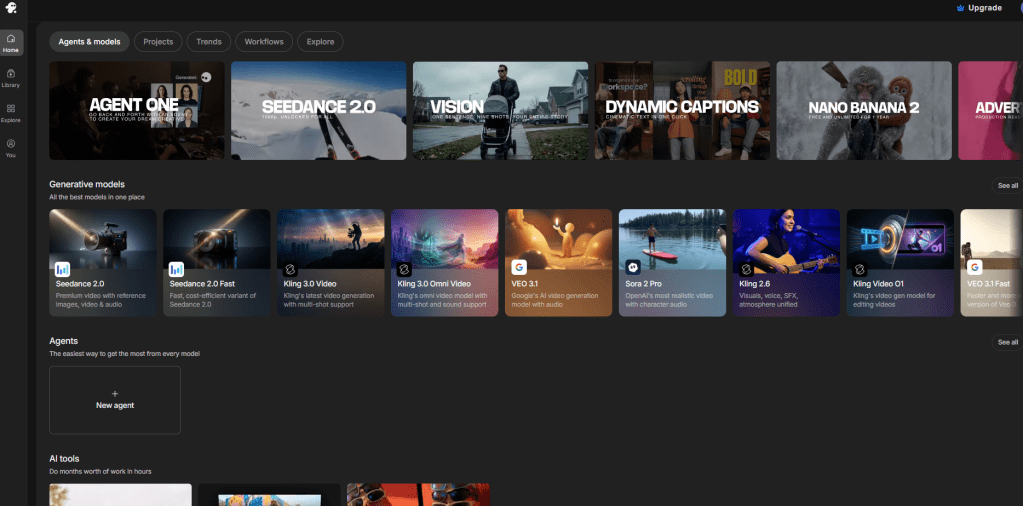
InVideo changes all of that.
In this review I’ll cover everything — what it does, who it’s for, the pros and cons and whether it’s actually worth your money.
Let’s dive in.
What is InVideo?
InVideo is a versatile online video creation platform that helps anyone transform their ideas into compelling videos. It comes with two powerful tools:
- InVideo AI — AI powered video creation
- InVideo Studio — Template based video creation
Whether you’re a complete beginner or an experienced content creator InVideo has a tool that fits your needs.
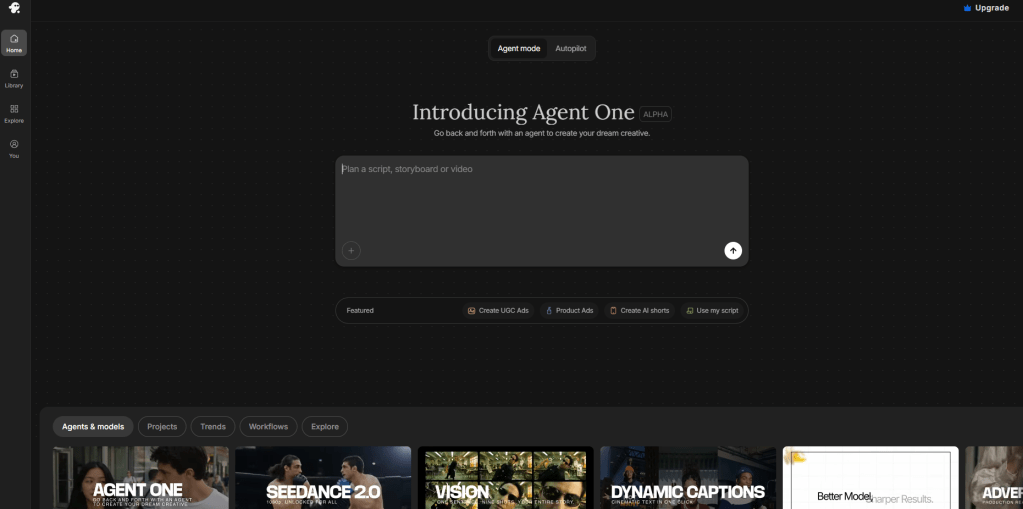
InVideo AI — AI Powered Video Creation
InVideo AI is the top choice for anyone looking to create videos quickly, start a faceless YouTube channel or create explainers and short videos.
The Latest — InVideo AI v4.0
InVideo just launched their most powerful version yet — InVideo AI v4.0. Here’s what’s new:
AI Twin Feature This is a game changer. The AI Twin feature lets you create studio quality videos featuring a digital avatar clone of yourself — without ever stepping in front of a camera. Perfect for faceless content creators who still want a personal touch.
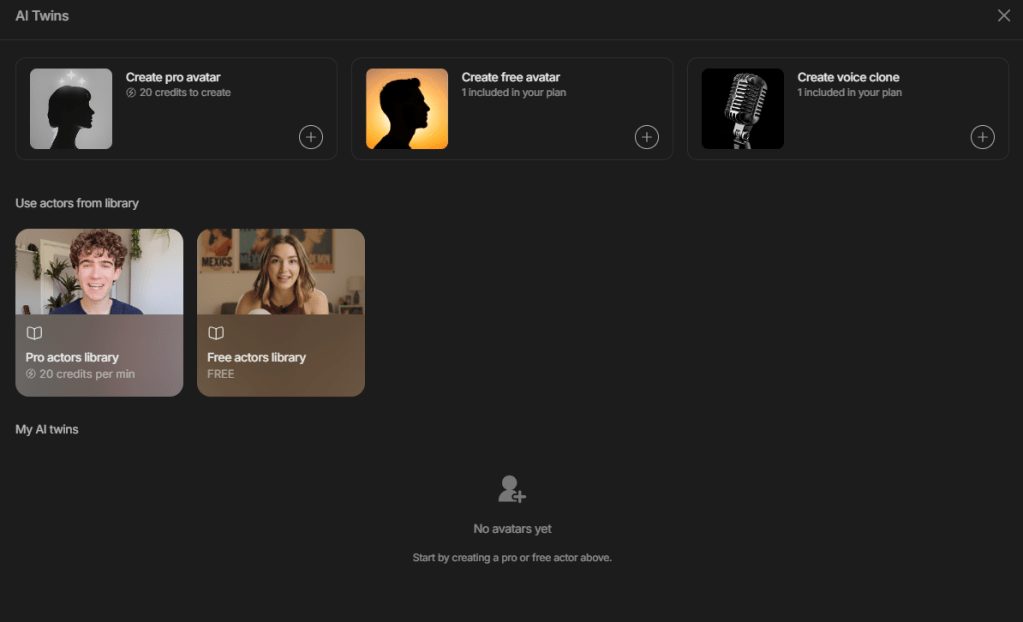
AI Actor + Product Clone Feature InVideo AI v4.0 includes an AI Actor feature that works alongside the Product Clone feature to create UGC (User Generated Content) ads seamlessly. This is particularly powerful for small business owners who want to advertise their products without the high costs of hiring UGC creators or video production teams.
The Original InVideo AI InVideo’s original AI product launched in 2023 uses a database of millions of stock images and videos to create videos from a simple text prompt. While it doesn’t include generative AI capabilities it’s a more affordable option for beginners and supports over 50 languages with voice cloning functionality.
InVideo Studio — Template Based Video Creation
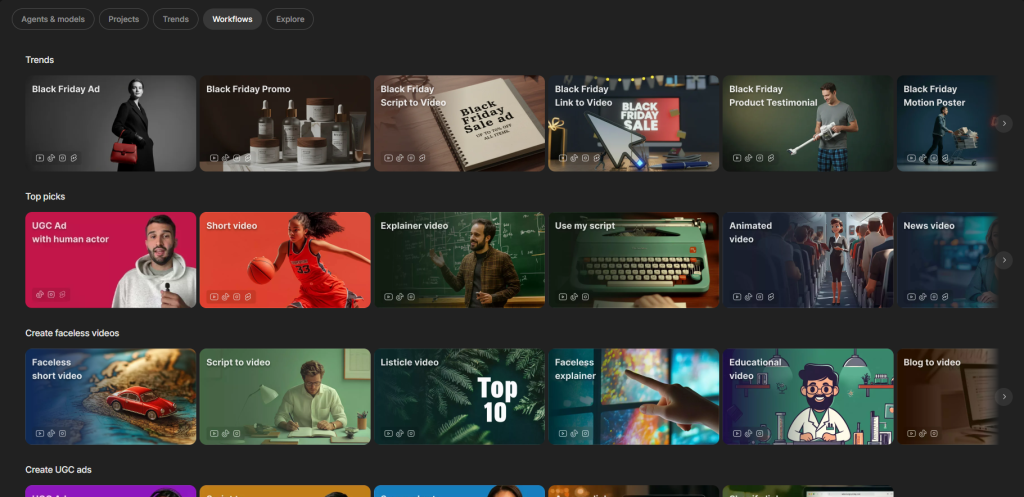
InVideo Studio is InVideo’s original video creation product. It’s perfect for anyone who wants more control over their videos.
Key Features:
- Thousands of professional templates
- AI powered script generation
- Massive media library with millions of images, videos, effects and branded intros/outros
- Perfect for longer form videos with more complex elements
- Available exclusively as a web experience
If you need more intricate video projects with detailed customization InVideo Studio is the tool for you.
Who is InVideo For?
InVideo is perfect for:
- Content creators starting a faceless YouTube channel
- Marketers creating video ads quickly
- Small businesses making social media video content
- Bloggers repurposing articles into videos
- Business owners creating UGC style product ads
- Anyone creating professional videos without a camera
Key Features Summary
| Feature | InVideo AI | InVideo Studio |
|---|---|---|
| AI Video Generation | ✅ | ❌ |
| AI Twin Avatar | ✅ v4.0 | ❌ |
| UGC Ad Creation | ✅ v4.0 | ❌ |
| Templates | Limited | ✅ Thousands |
| Stock Media Library | ✅ | ✅ |
| Voice Cloning | ✅ | ❌ |
| 50+ Languages | ✅ | ❌ |
| Script Generation | ✅ | ✅ |
| Best For | Quick videos | Long form videos |
Pros and Cons
Pros: ✅ Two powerful tools in one platform ✅ Brand new AI Twin feature — no camera needed ✅ Perfect for faceless YouTube channels ✅ UGC ad creation without hiring creators ✅ Millions of stock images and videos ✅ Supports 50+ languages ✅ Voice cloning functionality ✅ Beginner friendly interface ✅ Saves enormous time and money
Cons: ❌ Original AI tool lacks generative AI features ❌ InVideo Studio web only — no desktop app ❌ Best features require paid plan ❌ AI voices can sound robotic sometimes ❌ Learning curve for advanced features
How to Make Money With InVideo
1. Faceless YouTube Channel Use InVideo AI’s AI Twin feature to create studio quality videos without ever showing your face. Monetize through YouTube ads and affiliate links. Earning potential: $500–$10,000/month
2. UGC Ad Creation Services Use the AI Actor and Product Clone features to create UGC style ads for businesses. Companies pay big money for this type of content. Earning potential: $1,000–$5,000/month
3. Video Creation Services Offer professional video creation on Fiverr or Upwork using InVideo Studio templates. Earning potential: $500–$3,000/month
4. Social Media Content Create short form videos for businesses on Instagram TikTok and Facebook. Earning potential: $500–$2,000/month
Is InVideo Worth It?
Absolutely yes — especially with the new v4.0 features.
The AI Twin feature alone makes InVideo stand out from every competitor. Being able to create studio quality videos with a digital avatar clone of yourself is genuinely revolutionary for faceless content creators.
And for small business owners the AI Actor and Product Clone features eliminate the need for expensive UGC creators entirely.
Whether you choose InVideo AI for quick AI powered videos or InVideo Studio for more detailed projects — both tools deliver professional results at an affordable price.
Overall Rating: 4.7/5 ⭐
Conclusion
InVideo is one of the most complete video creation platforms available in 2026. With two powerful tools, a brand new AI Twin feature and UGC ad creation capabilities — it covers everything from quick social media clips to professional long form videos.
If you’ve been putting off video content because it feels too complicated or expensive — InVideo removes every single excuse.
Start with the free plan today and see the results for yourself.
https://invideo.sjv.io/c/7250238/883681/12258
Disclosure: This post contains affiliate links.
 Smart AI Hub
Leave a comment